
Finder
Search satellites by name, orbital slot, operator, and transponder-related terms in one fast shortlist.
Antenni suunamine ja signaali planeerimine
Leia satelliidid, kontrolli asimuuti, võrdle transponder-andmeid ja hinda paigalduse kvaliteeti enne katusele minekut.
Search satellites by name, orbital slot, operator, and transponder-related terms in one fast shortlist.
Open satellite details with azimuth, elevation, skew, plus transponder and channel overview.
Use your phone heading and pitch to rotate the dish toward target azimuth and elevation.
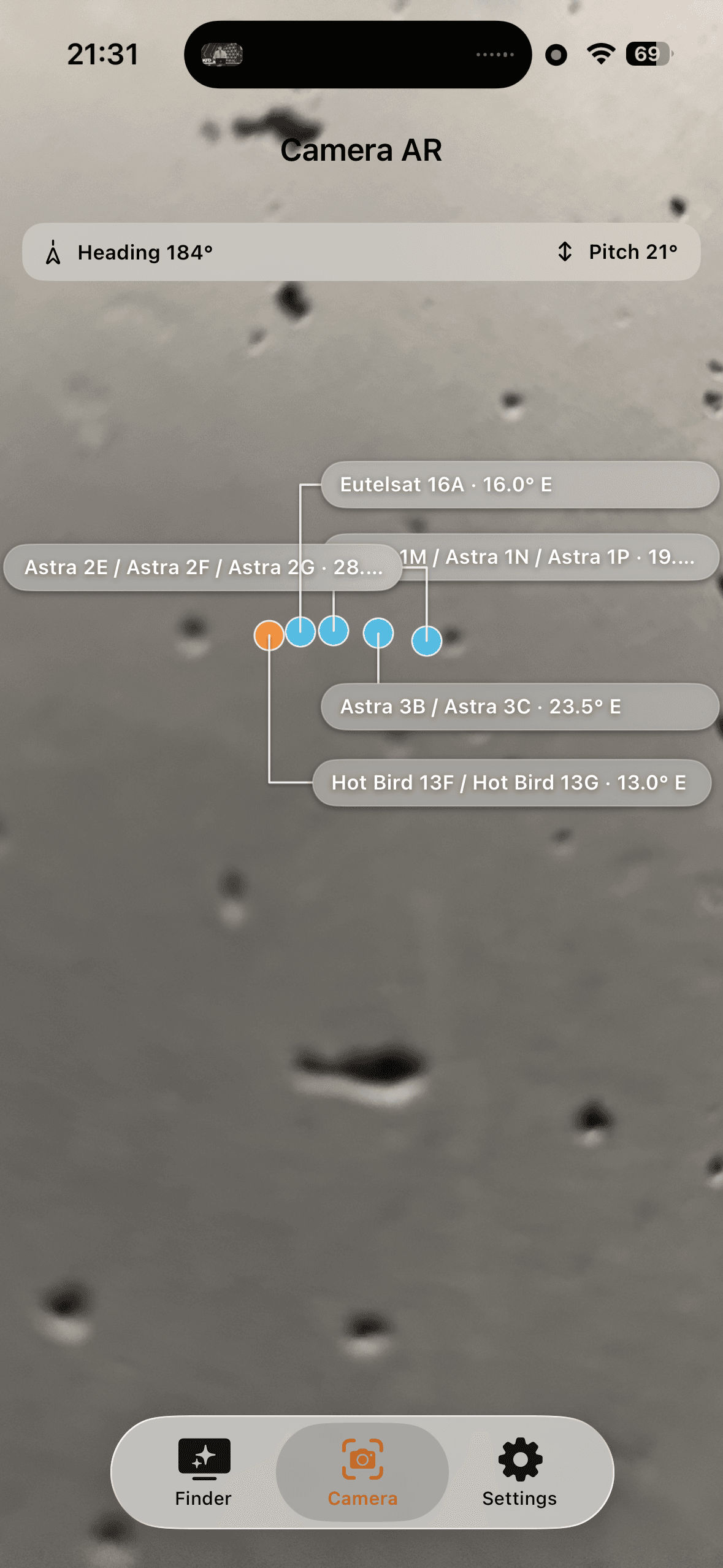
Use camera overlay with live labels and guidance to quickly point at visible satellite targets.
DVB-S Finder is focused on satellite search, look angles, live compass guidance, and camera AR aiming.
01
Search satellites by orbital slot, operator, and transponder-related terms to build a fast shortlist.
02
Open details with azimuth, elevation, skew, plus transponder and channel overview for the selected satellite.
03
Use phone heading and pitch to rotate and elevate the dish toward the target satellite with fewer corrections.
04
Use live camera overlay and on-screen labels to fine-tune pointing and open satellite details directly from AR view.
DVB-S Finder is focused on practical satellite work and precise dish alignment.
In one workflow you get satellite search, azimuth/elevation/skew angles, transponder data, and live compass plus AR camera guidance.
It is a mobile field tool for fast satellite shortlist and final pointing confirmation.
Common questions before first on-site use.
Core country satellite data is bundled in the app. Device-driven features like AR camera and live positioning work best with granted permissions and active sensors.
Yes. You can set a manual position in settings when GPS is unavailable or less precise.
Azimuth, elevation, skew, plus transponder and channel overview for the selected satellite.
Yes. Satellite labels in AR view are tappable and open detail directly.
Kasuta telefoni praktilise tööriistana seadistuseks ja kontrolliks.